 Cerberus
Cerberus
A desktop workspace for chat, documents, and research.
Run AI privately on your own computer, or connect a cloud model when you need one. Free and open source.
Windows · macOS · Linux · Apache 2.0
What's new
Updated 30 October 2026. Web search your way, and a new page for your documents.
Choose your search engine
SearXNG, DuckDuckGo with nothing to install, or Brave Search and Tavily with a free key. Save & test runs a real search.
SearXNG without Docker
Install it for me: Cerberus downloads SearXNG into its own folder and runs it, only for your computer.
An on/off switch
SearXNG runs while Cerberus is open and stops when you close it, or stays off to save memory.
A new Docs page
Upload or drag and drop, real titles, the kind of each document, sizes, dates and a filter.
Ask about a document
Starts a chat with the whole document attached, so "summarise this" works too.
Research reports get a title
New reports start with your question as their heading.
Already installed? Close Cerberus, run git pull, then repeat the pip install command. All changes →
See it in action
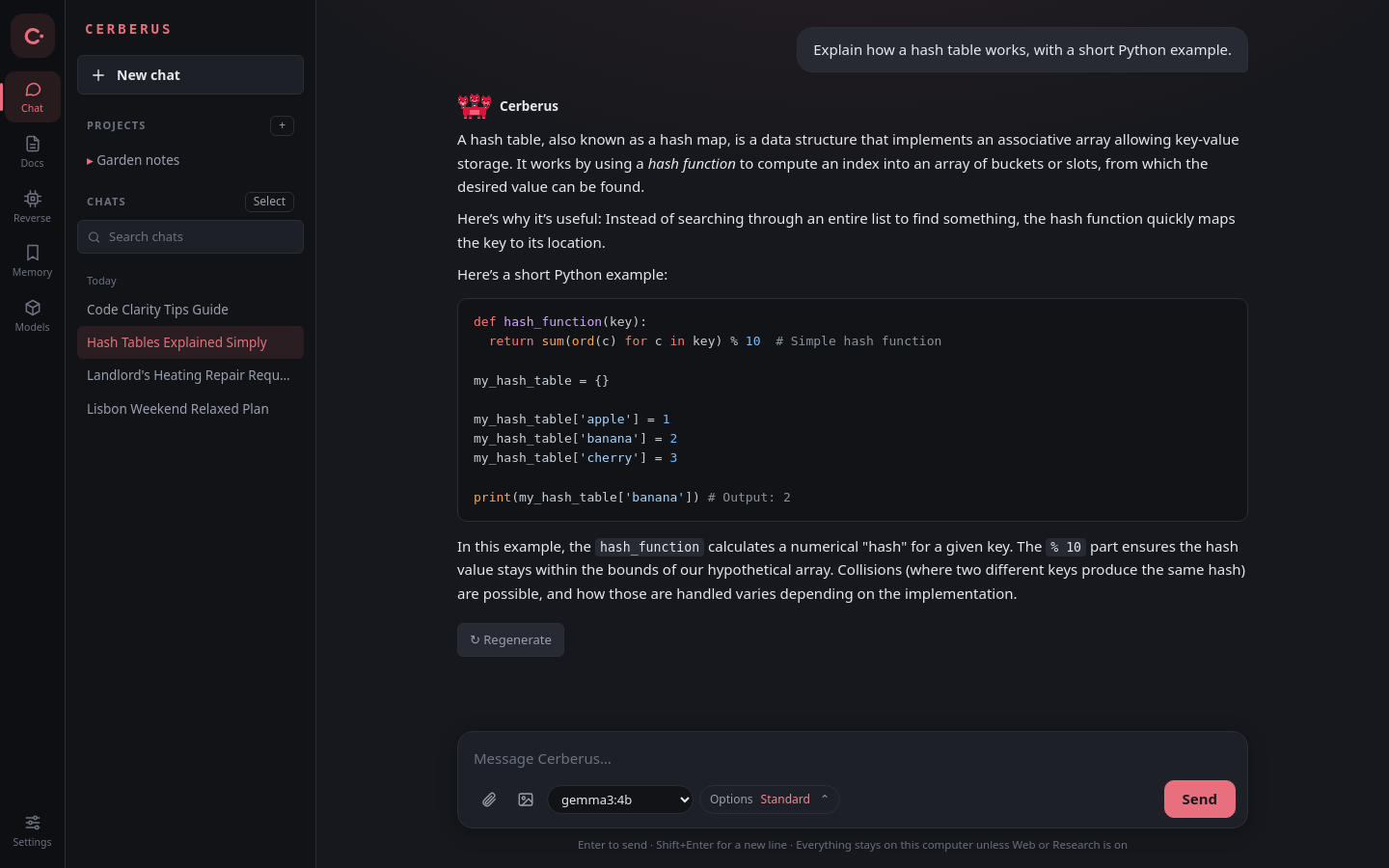
From first start to a long project, Cerberus stays simple: one window for your chats, your documents and your models.


Everything in one place
Not just a chat window: a workspace that remembers, researches and works with your documents.
Chat
Streaming answers, image input, and tools. Deep think drafts, reviews, then answers.
Documents
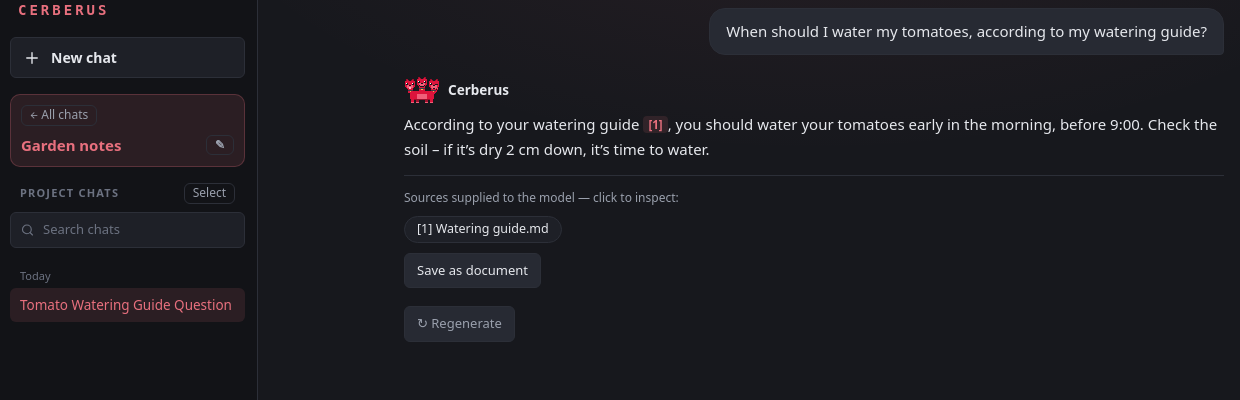
Drop in files, write notes, and ask about any document. Edit Markdown and review AI changes before applying them.
Research
Search the web and get reports with citations, saved as documents.
Memory
Save useful facts once, and Cerberus remembers them in every conversation.
Works with any model
Reasoning goes to "Show thinking", and tool calls in every common format really run.
Your data stays yours
Chats and documents live on your computer. Back up or export any time.
Get Cerberus
Install from your terminal with Git and Python 3.14.
Install from your terminal
Install Git and Python 3.14 first. Choose your system, then copy the commands into a terminal. Cerberus opens when you run the last command.
# 1. Download the code
git clone https://github.com/23lambi/Cerberus-ai.git
cd Cerberus-ai

# 2. Install what it needs
python3.14 -m venv venv
venv/bin/python -m pip install -r requirements.txt

# 3. Start Cerberus
venv/bin/python desktop.py
Want it in your app menu? Run sh install-desktop.sh once.
# 1. Download the code
git clone https://github.com/23lambi/Cerberus-ai.git
cd Cerberus-ai

# 2. Install what it needs
py -3.14 -m venv venv
.\venv\Scripts\python.exe -m pip install -r requirements.txt

# 3. Start Cerberus
.\venv\Scripts\python.exe desktop.py
Want it in your Start menu? Run powershell -ExecutionPolicy Bypass -File install-desktop.ps1 once.
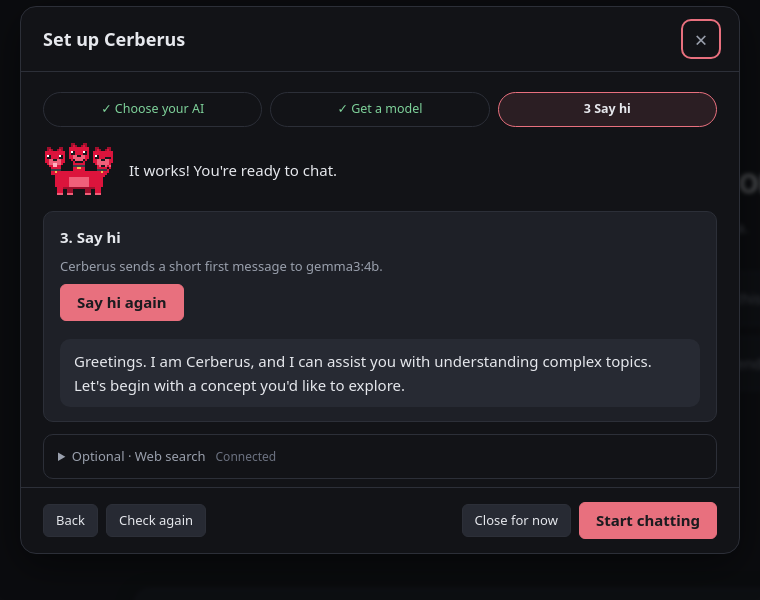
On first launch, a short setup helps you choose your AI and model.
To update later: close Cerberus, run git pull, then repeat the pip install command in step 2.
Your choice of AI
Keep everything on your computer, or connect a cloud service with your own key. Other OpenAI-compatible servers work too.
Run locally
Private and offline. Cerberus can install Ollama for you.
- Ollama
- llama.cpp
- LM Studio
- Jan
Connect to cloud
Messages and the context you share go to that service.
- Hugging Face
- OpenAI
- Groq
- OpenRouter
Questions
Is it free?
Yes. Cerberus is free and open source under the Apache 2.0 license. Cloud AI services you connect may charge for their use.
Does my data leave my computer?
Not with a local engine: chats and documents stay on your computer. With a cloud engine, your messages and the context you share go to that service. Web search contacts your search service and the pages it opens.
What computer do I need?
A 64-bit Windows, macOS or Linux computer. For local AI, 8 GB of memory runs small models; 16 GB or more is more comfortable. Setup suggests a model that fits.
Which models can I use?
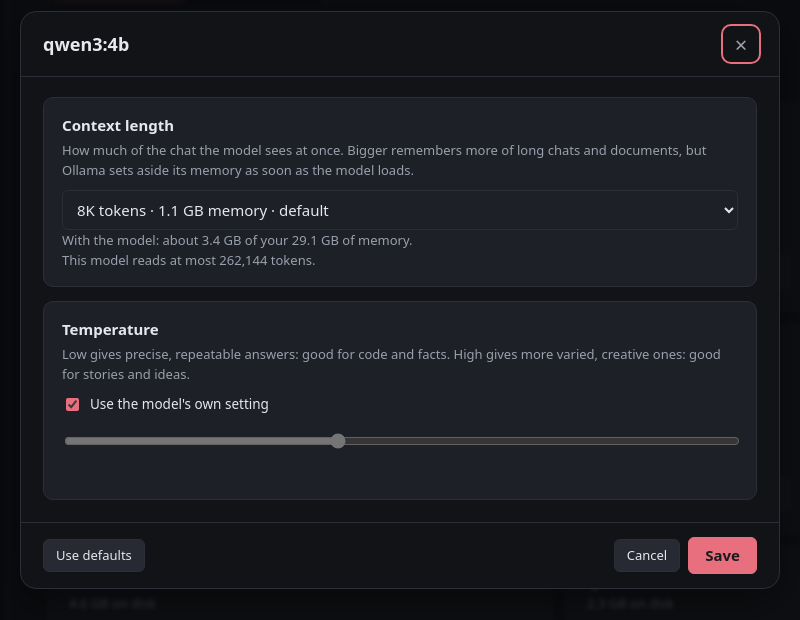
Any chat model your engine offers: Llama, Qwen, Gemma, Mistral and many more. Cerberus reads reasoning and tool calls in all the common formats.
How do I report a bug or suggest an idea?
Open an issue on GitHub. In the app, Settings → Help → Copy diagnostics collects the details a bug report needs.